TNT Sports on HBO Max Not Working? UK Fire TV Fix for Smart TV, Firestick and Login Issues
TNT Sports viewing in the UK has changed, and many problems now come from account activation, app sign-in, device support or a stuck Fire TV session rather than the match stream itself. This guide gives you a clean checklist for HBO Max, Fire TV, Smart TV and BT/EE activation issues.
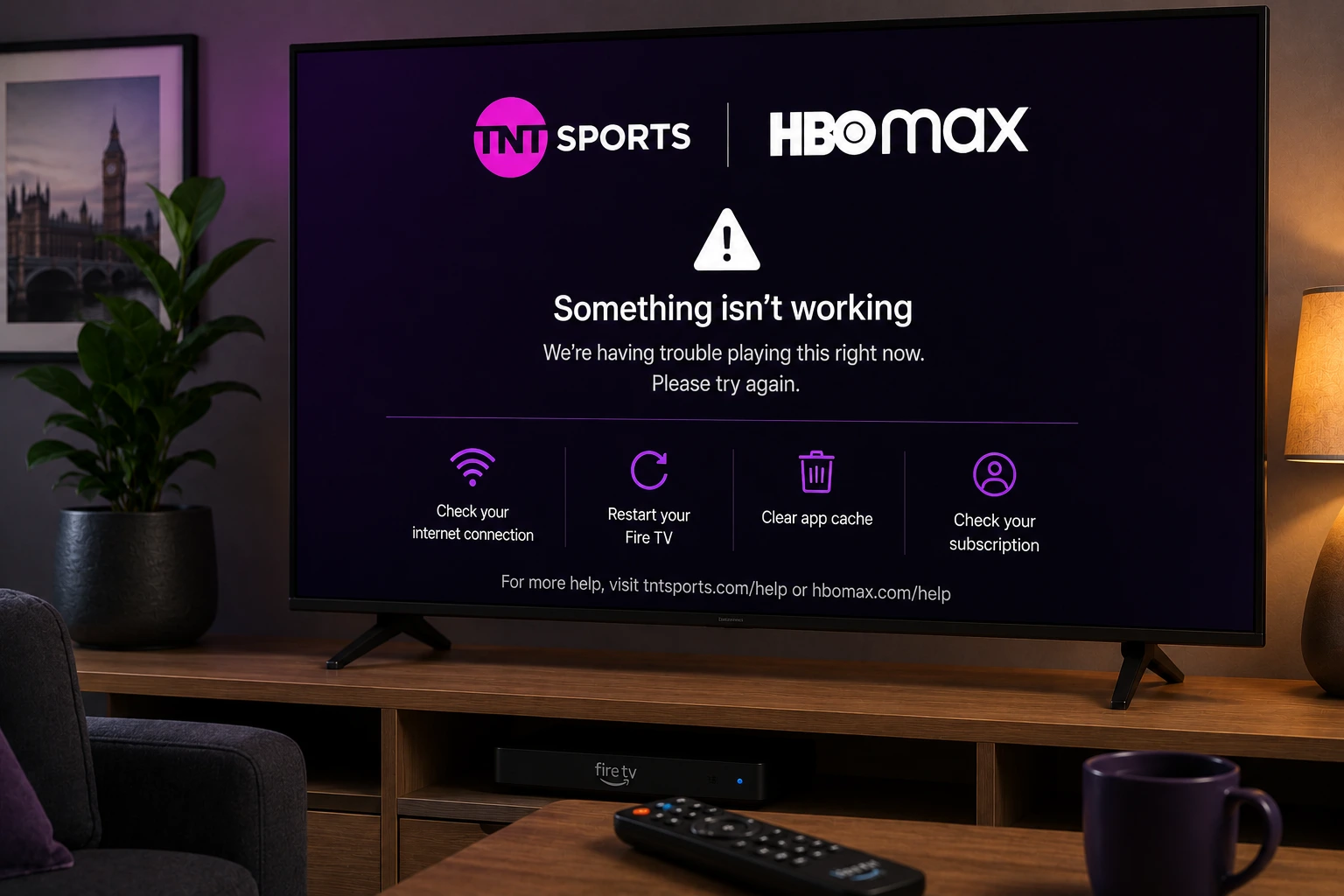
Quick answer: If TNT Sports on HBO Max is not working, confirm that your TNT Sports access is active, sign in with the correct HBO Max account, restart your device, update the app, test another video, then check your Wi-Fi before deleting everything. If you recently moved from discovery+, make sure you are using the current app route for your subscription.
UK setup note: Use the official HBO Max / BT / EE account flow for TNT Sports. Avoid random APKs, unofficial sports apps or login pages that ask for your account details.
Why TNT Sports fails on UK streaming devices
When TNT Sports does not open on a Fire TV Stick, Smart TV or streaming box, the cause is often not the live channel itself. It can be an expired sign-in session, an account that has not been activated correctly, a subscription that is linked to another provider, or an app cache problem on the device.
Because TNT Sports access can come through BT, EE, Sky or a direct monthly pass, the first step is to separate account access from device problems. If the same account works on your phone but not on the TV, focus on the TV app. If it fails everywhere, focus on activation and login first.
Check whether you should be using HBO Max or discovery+
For UK users, TNT Sports streaming has moved into the HBO Max route. If you are still trying to open sport through an older discovery+ path, your app may show missing sports content, upgrade messages or a blank page. Before changing your Wi-Fi settings, confirm which app your current subscription now expects you to use.
Open the official provider page for your BT or EE account, follow the activation instructions, then sign in to HBO Max on the TV. After activation, fully log out of the app on the Fire TV or Smart TV and sign in again so the entitlement refreshes.
Fire TV fix for TNT Sports on HBO Max
On Fire TV, start with Settings, Applications, Manage Installed Applications, then choose HBO Max. Use Force Stop, reopen the app and test a non-live video before trying the sports stream. If the app still fails, clear the cache and restart the Fire TV from the power supply.
Low storage can break live sports apps during adverts, menus or DRM checks. Remove unused apps, update Fire OS and leave enough free space before a Champions League or Premier League night. If the live stream buffers only during peak hours, test with the Fire TV close to the router or use Ethernet through an adapter.
Smart TV checklist before match time
On Samsung, LG, Android TV, Google TV and Roku, update the TV software first, then update HBO Max from the device app store. A TV can look modern but still be running an old operating system that breaks sign-in pages or live playback.
If the app opens but sport is missing, do not factory-reset the TV yet. Sign out, restart the TV from the wall for one minute, sign back in and check that the account shown inside the app is the same account that completed activation.
Fix login loops and missing sport access
A login loop usually means the TV app has old account data or the provider entitlement has not refreshed. Sign out of HBO Max on the TV, open the account on a phone or laptop, verify the subscription, then generate a new TV activation code. Do not reuse an old QR code or code from yesterday.
If you see an upgrade screen even though you pay for TNT Sports, the account may be linked to the wrong email or provider. Check your BT or EE account first, then contact the official provider if the subscription is active but the app does not show sports.
When buffering is a broadband problem
Live sport is less forgiving than normal on-demand TV. A movie can buffer ahead quietly, but a live match needs stable Wi-Fi every minute. Restart the router, use 5 GHz Wi-Fi near the TV, pause downloads and avoid testing from a phone beside the router while the Fire TV is in another room.
If other apps buffer too, read our general UK buffering guide and test an Ethernet connection. If only HBO Max buffers during live sport, check for app updates and test on another supported device before blaming the broadband.
Try EasyFlixTV Free for 24 Hours First
Before choosing a plan, you can test EasyFlixTV on your Smart TV, Firestick, Android box, X96, phone or tablet. Check the channels, streaming quality and setup first, then continue only if it works well for you.
Simple UK streaming checklist
- Open the app at least 30 minutes before a live programme or match.
- Confirm the correct account, membership or provider activation before changing TV settings.
- Restart the TV, Fire TV, Roku, console or laptop and install app updates.
- Use 5 GHz Wi-Fi near the router or Ethernet where possible.
- Keep a backup device ready if the main TV app is unstable.
Related UK streaming guides
- Premier League UK Streaming Guide
- NOW Sky Sports Not Working? UK Firestick Fix
- Streaming Buffering Fix Guide
- Freeview Play vs Freely UK Setup Guide
Official sources to check
- BT guide to TNT Sports on HBO Max
- BT activation page for TNT Sports
- EE TNT Sports setup and supported devices
- discovery+ update about TNT Sports moving to HBO Max
Frequently asked questions
Why is TNT Sports missing from my HBO Max app?
It is usually an account or activation issue. Confirm your BT, EE or monthly pass access, sign out of the TV app, restart the device and sign back in with the correct account.
Why did TNT Sports stop working on discovery+?
TNT Sports access in the UK moved to HBO Max, so older discovery+ routes may no longer show the sport content you expect. Check the latest instructions from your provider.
Why does TNT Sports buffer on Fire TV?
Common causes include weak Wi-Fi, low Fire TV storage, an outdated app, crowded home network or peak-time broadband issues. Restart the device and router, update the app and test closer to the router.
Should I reinstall HBO Max first?
Only reinstall after you have confirmed your account access and saved your login details. Force stop, clear cache and restart the device first.
Is EasyFlixTV an official TNT Sports or HBO Max service?
No. EasyFlixTV is an independent setup and troubleshooting guide. Use BT, EE, HBO Max or TNT Sports support for official account and subscription help.
Final thoughts
Most UK app problems become easier to fix when you separate account access, device support and home Wi-Fi. Check the official app route first, keep your device updated and test your setup before the programme or match starts.
Need help with your UK streaming setup?
Message EasyFlixTV with your device model and the app problem. We can help you check Smart TV, Fire TV, Roku, Android TV, laptop, console or mobile setup before you choose a plan.
Message EasyFlixTV on WhatsAppContact on Telegram